



Messenger users can now use QR codes, payment links with Facebook Pay
Facebook has added two other features to boost the Messenger experience. These include new chat themes to enhance conversations and a quick reply bar to make it easier to respond to the content shared by friends.
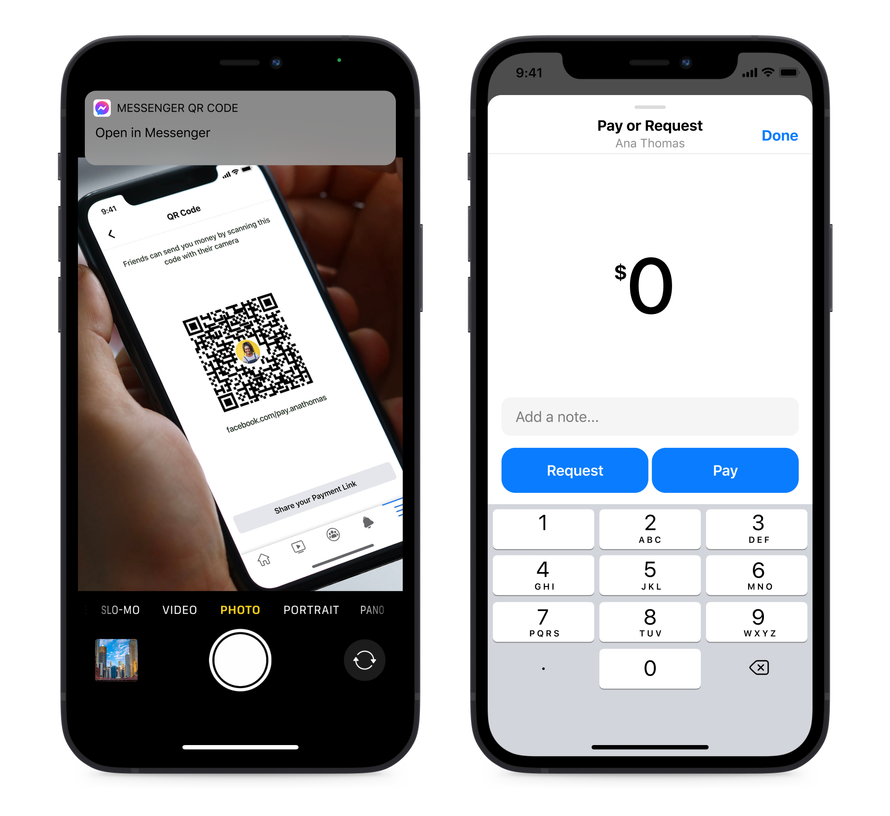
Facebook has added the ability for Messenger users to use QR codes and payment links when sending or requesting money with Facebook Pay. This means you no longer have to download a separate payment app or add new contacts to send and receive money from anyone.
To access the personal QR code and payment link:
- Go to Messenger settings > Facebook Pay
- Share the payment link or allow your friends to scan your QR code to send or request money
QR codes and payment links in Facebook Messenger are available to users in the US only.
Facebook has added two other features to boost the Messenger experience. These include new chat themes to enhance conversations and a quick reply bar to make it easier to respond to the content shared by friends.
The new chat themes in Facebook Messenger include:
- Olivia Rodrigo - a whimsical chat theme featuring Olivia’s signature face stickers
- World Oceans Day - a chat theme to keep conversations afloat
- F9 - for Fast & Furious fans

Image Credit: Facebook
To try out the new chat themes, go to:
- Chat settings
- Tap “Theme”
- Pick a theme for the conversation
Further, with the new Quick Reply Bar, Facebook has made it easier for you to have conversations sparked by a cool photo or video without the need to go back to your main chat thread. All you need to do is,
- Tap on the photo or video you have received
- Tap on the quick reply bar at the bottom of the screen to send a response


 Google News