

Hello darkness! WhatsApp dark mode is finally here: Here's how to enable?
"We did this by using color and other design elements to make sure the most important information stands out," WhatsApp said in a blog post.

- Country:
- United States
WhatsApp's most requested feature, the dark mode, has finally arrived. The feature designed to reduce eye strain in low light environments will soon be rolled out on the latest version of WhatsApp.
The Facebook-owned instant messaging platform said that the Dark mode for WhatsApp offers a fresh look on a familiar experience. It will help prevent those awkward moments where the phone lights up the room.
Whatsapp said it focused on two areas while designing the most-anticipated feature. First, to minimize eye fatigue and use colors that are closer to the system defaults and secondly to help users easily focus their attention on each screen.
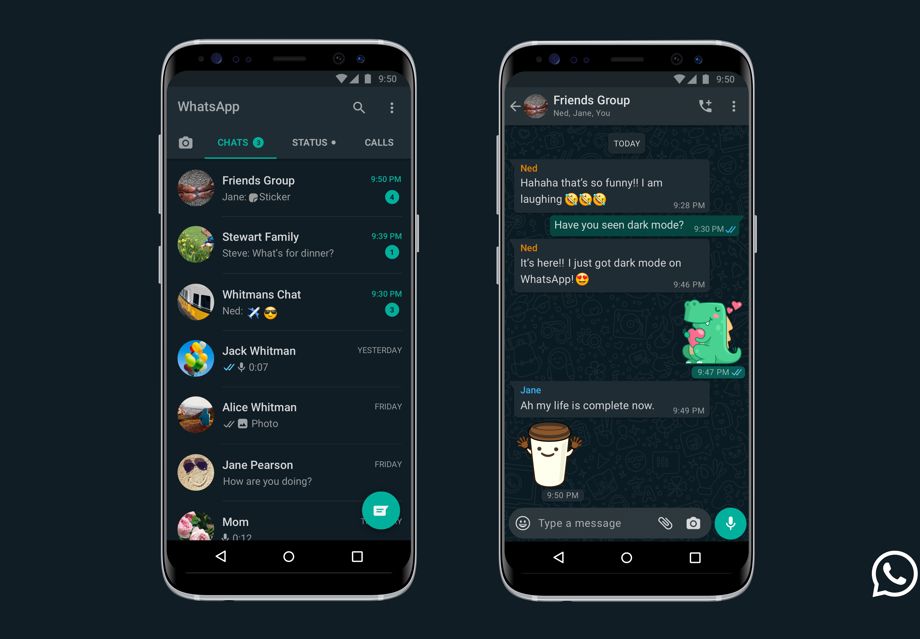
"We did this by using color and other design elements to make sure the most important information stands out," WhatsApp said in a blog post.
How to enable Dark Mode?
Android 10 and iOS 13 users can enable dark mode under system settings while users on Android 9 and below can go into WhatsApp Settings > Chats > Theme > select 'Dark'.


 Google News