

Upcoming update to enhance S Pen experience in Galaxy Tab S7/S7+
With the upcoming update, Galaxy Tab S7 and Galaxy Tab S7+ users will be able to fill text box areas such as address boxes that conventionally serviced with keyboards. Anything you write in text boxes - including punctuation marks - will instantly be converted into digital text.

Samsung said Friday it will be rolling out a new software update to the Galaxy Tab S7 and Tab S7+ later this month that will enhance S Pen and Galaxy Buds Pro experiences.
With the upcoming update, Galaxy Tab S7 and Galaxy Tab S7+ users will be able to fill text box areas such as address boxes that conventionally serviced with keyboards. Anything you write in text boxes - including punctuation marks - will instantly be converted into digital text.
The new "S Pen to text" feature will initially be rolled out in select markets and it will support all languages - over 80 - supported by Samsung Keyboard. You can enable the feature either by going to Settings > Advanced Feature > S Pen > S Pen to text, or under Settings > General management > Samsung Keyboard settings > S Pen to text.
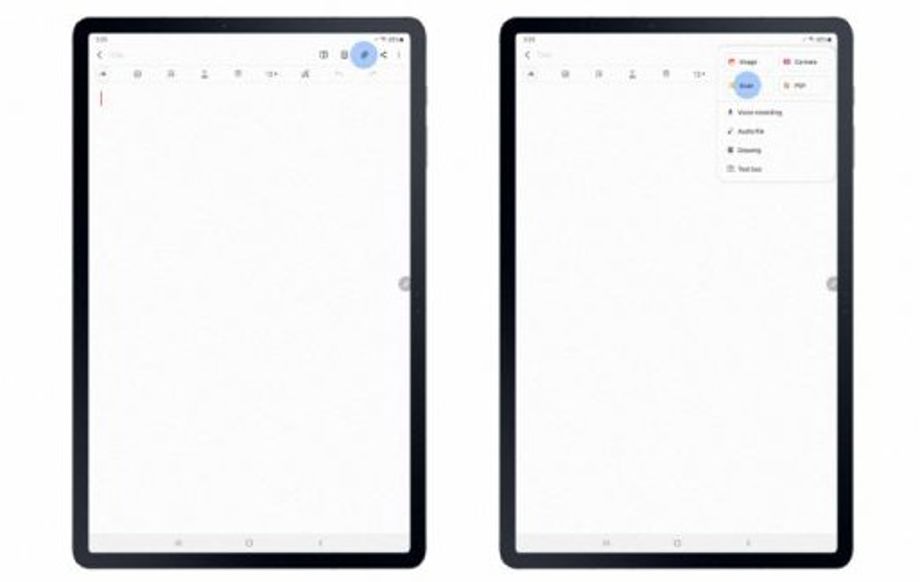
Further, the update will make it even easier to scan and edit a document in Samsung Notes. All you need to do is tap the "Attach" icon in the app, scan your document, and you can start making notes directly on the scanned document.
Lastly, the upcoming software update will bring support for the 360 Audio feature in the Galaxy Tab S7 or S7+. The feature lets you enjoy 360-degree surround sound and is already available on Galaxy smartphones and tablets running One UI 3.1 or above.
With 360 Audio, when watching content on the Galaxy Tab S7 or S7+, the sound volumes of the Galaxy Buds Pro will automatically adjust according to your head movements.


 Google News