

ASUS rolling out new update to ROG Phone 5 with March security patch; bug fixes
Speaking of the changes, the update fixes several issues including where Google News could cause a sudden reboot as well as the issue where Always-on display would continuously be in low brightness. Besides, the ROG Phone 5 April update optimizes the restart speed and the time to reconnect to the internet after switching to Wi-Fi as well.
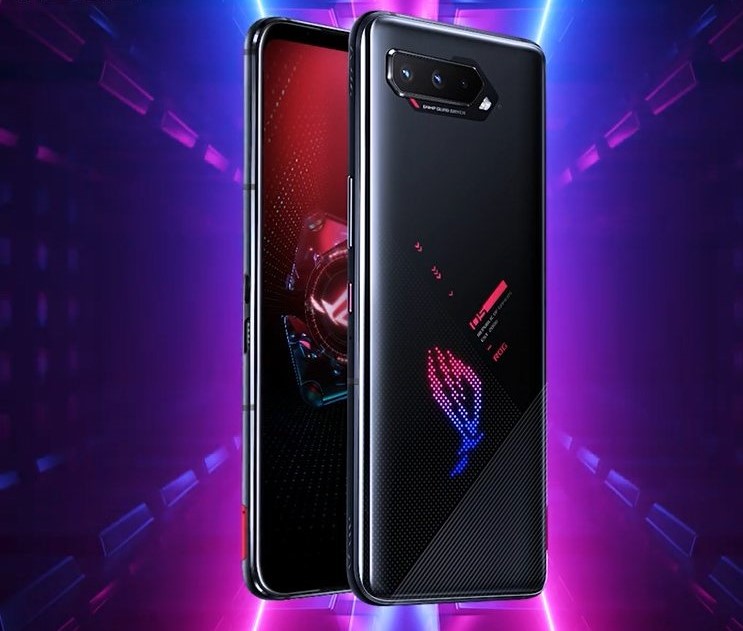
ASUS on Monday announced a new software update for its latest gaming smartphone i.e. the ROG Phone 5 (ZS673KS) which debuted globally in March 2021.
The update carries version number 18.0840.2103.26 and brings along the March 2021 security patch, bug fixes and optimizations.
Speaking of the changes, the update fixes several issues including where Google News could cause a sudden reboot as well as the issue where Always-on display would continuously be in low brightness. Besides, the ROG Phone 5 April update optimizes the restart speed and the time to reconnect to the internet after switching to Wi-Fi as well.
Here's the complete changelog for the ASUS ROG Phone 5 April update:
- Updated Android security patch to 2021-03
- Support "Visual enhancement" display setting in the scenario profile of Arena of Valor、PUBG、and Call of Duty Mobile
- Steady Charging supports a wider range: within or outside scheduled charging period
- Adjusted the visual movement logic of Always-on Panel
- Fixed the bug where exiting a game through gestures, the popup toast would be cut off by the edge of the display
- Fix issue where Google News could cause a sudden reboot
- Fixed the issue where Always-on display would continuously be in low brightness
- Fixed issue of ROG Vision console disappearing after the phone is connected to a USB Type-C dongle
- Optimized the time to reconnect to the internet after switching to Wi-Fi
- Optimize restart speed
- Fixed issue where refusing the permission request of "Music" atmospheric lights twice in a row, the "Music" atmospheric lights cannot be turned on
- Fixed the issue of distorted or missing pictures of 'People' albums in the wallpaper carousel
As always, the software update is being rolled out in batches which means it may take some days for everyone to receive this OTA update. To check if the new firmware is available for your device, go to Settings > System > System updates.


 Google News