

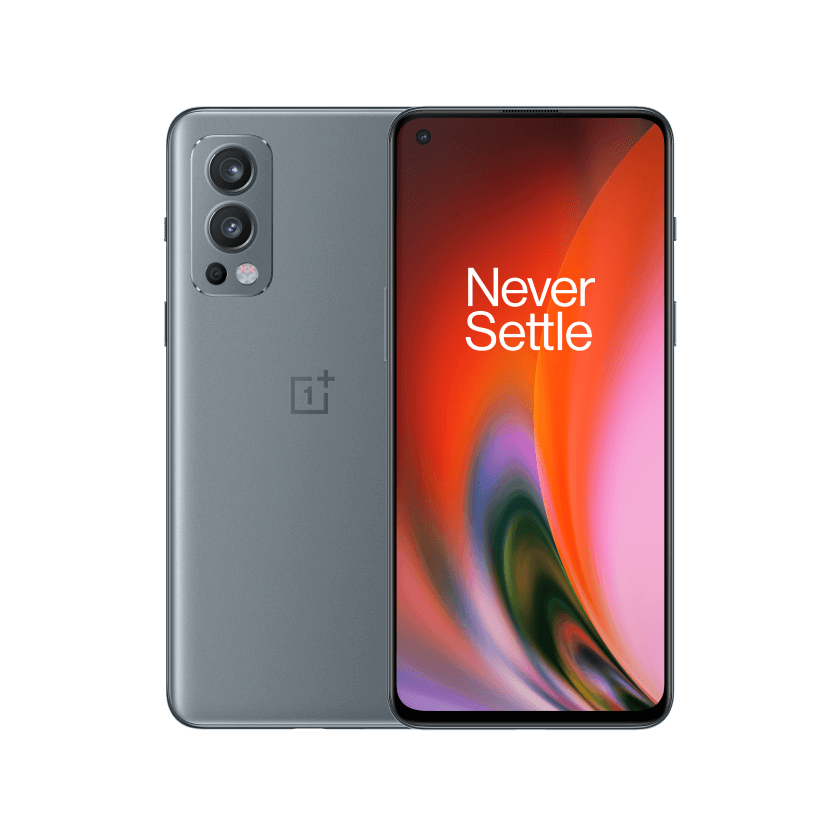
OnePlus announces OxygenOS 13 Open Beta Test for Nord 2
- Country:
- India
OnePlus has announced OxygenOS 13 Open Beta Test (OBT) for OnePlus Nord 2 units in India. Users who want to experience the latest OxygenOS version, based on Android 13, in advance can apply for this open beta program.
OnePlus is recruiting 5000 Nord 2 Indian users who meet the requirements for the program. Before applying for the program, make sure your phone is updated to version DN2101_11.C.12/13 and you must be an active OnePlus Community Member.
To apply for the program, head over to Settings > About device > Tap up to date > Tap icon on the top right > Beta program > Beta > Fill in your information > Apply Now. Application for the OnePlus Nord 2 OxygenOS 13 Open Beta Test will be accepted till March 8.
The OxygenOS 13 update brings the following changes:
Aquamorphic Design
- Adds Aquamorphic Design theme colors for enhanced visual comfort.
- Applies the Aquamorphic Design philosophy to animations to make them natural and vivid.
- Adds Shadow-Reflective Clock, with shadow simulating the orientation of the sun and moon.
- Adds a Home screen world clock widget to show the time in different time zones.
- Upgrades to Quantum Animation Engine 4.0, with a new behaviour recognition feature, which recognizes complex gestures and provides optimized interactions.
- Optimizes UI layers for a clearer and neater visual experience.
- Applies real-world physical motions to animations to make them look more natural and intuitive.
- Adapts responsive layouts to accommodate different screen sizes to improve readability.
- Optimizes the widget design to make information easier and quicker to find.
- Optimizes fonts for better readability.
- Optimizes system icons by using the latest color scheme to make the icons easier to recognize.
- Enriches and optimizes illustrations for features by incorporating multicultural and inclusive elements.
Efficiency
- Adds large folders to the Home screen. You can now open an app in an enlarged folder with just one tap and turn pages in the folder with a swipe.
- Adds media playback control, and optimizes the Quick Settings experience.
- Adds more markup tools for screenshot editing.
- Adds support for adding widgets to the Home screen, making information display more personalized.
- Adds Sidebar Toolbox. You can open a floating window inside apps for smooth operation.
- Optimizes Shelf. Swiping down on the Home screen will bring up Shelf by default. You can search content online and on your device.
Seamless interconnection
- Optimizes Screencast, with cast content automatically adapting to the target screen.
- Optimizes earphone connectivity to deliver a more seamless experience.
Personalization
- Optimizes Bitmoji to offer more Always-On Display animations.
- Optimizes Insight Always-On Display, with more personalized Always-On Display settings available.
- Optimizes Portrait Silhouette Always-On Display, with more drawing tools and line colors available.
Security & Privacy
- Adds an automatic pixelation feature for chat screenshots. The system can identify and automatically pixelate profile pictures and display names in a chat screenshot to protect your privacy.
- Adds regular clearing of clipboard data for privacy protection.
- Optimizes Private Safe. The Advanced Encryption Standard (AES) is used to encrypt all files for enhanced security of private files.
Health & Digital wellbeing
- Adds Eye comfort in Kid Space to protect children's vision.
Performance optimization
- Adds Dynamic Computing Engine to improve the system speed, stability, battery life, and app experience.
Gaming experience
- Upgrades to HyperBoost GPA 4.0 to stabilize the frame rate and balance the performance and power consumption in key scenarios.


 Google News