

Here's everything the MIUI 11 update brings for the Redmi K20 users
The Redmi K20 was initially launched with MIUI 10 but with the latest software update, users will enjoy a host of new features including always-on display, dynamic clocks, video wallpapers, powerful gestures.
- Country:
- India
Xiaomi Redmi K20 has started receiving the MIUI 11 software update with a new optimized modern UI design and more dynamic visuals. The MIUI 11, the newest version of the company's user interface is based on Android 9 Pie and was officially unveiled late last month at an event in China alongside the Mi 9 Pro 5G and Mi full-screen TV Pro.
Other Xiaomi smartphones including the POCO F1, Redmi Y3, Redmi 7, Redmi Note 7, Redmi Note 7s and Redmi Note 7 Pro will also get upgraded to the MIUI 11, this month. However, recently-launched devices including the Redmi Note 8 and Redmi Note 8 Pro will get MIUI 11 based on Android 10.
The Redmi K20 was initially launched with MIUI 10 but with the latest software update, users will enjoy a host of new features including always-on display, dynamic clocks, video wallpapers, powerful gestures, PC-level document viewer, emergency SOS, and health tracking features.
The full changelog for MIUI 11 version 11.0.2.0 includes:
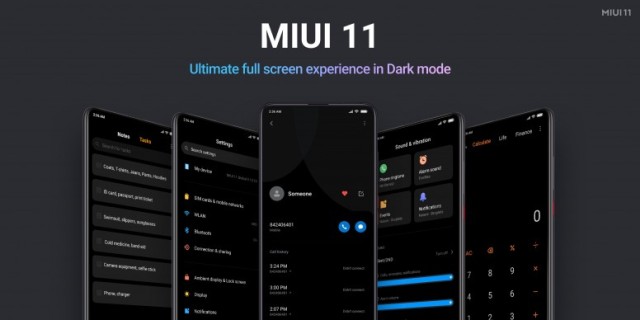
Ultimate full-screen experience
- Dark Mode
- No visual clutter
- Interactive touch controls
Always-on display
- Personalize your lock screen with customizable signature, clock, wave dial and more
- Breathing light effect for incoming notifications
- Special effects for new screen experience
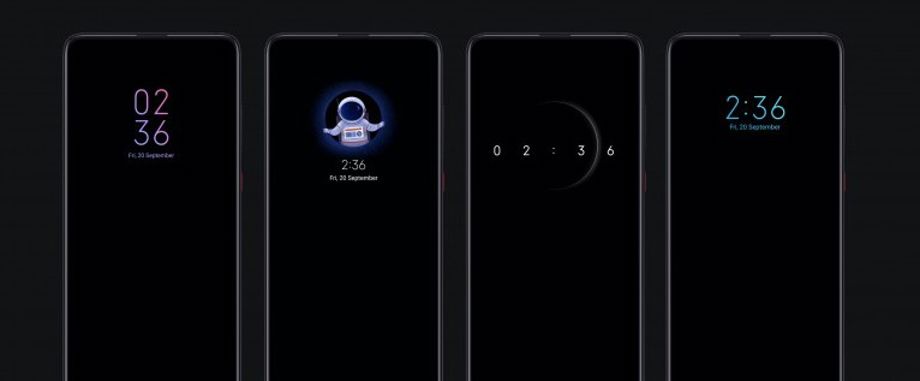 Image Credit: Mi Community
Dynamic and improved sound effects
- Ambient nature sounds such as the chirping of birds, water drops, wind chime noise and more for notifications
- Dynamic alarm ringtones
Mi Share
Mi Work
- Thumbnail-view to access relevant documents quickly
- Preview documents without any external app
- Mi Doc Viewer to view any saved document and to make work easier and more efficient
- Manage to-do list better by filing and organizing them in the Notes app
- Minimize calculator and use it without switching between apps
Mi Life
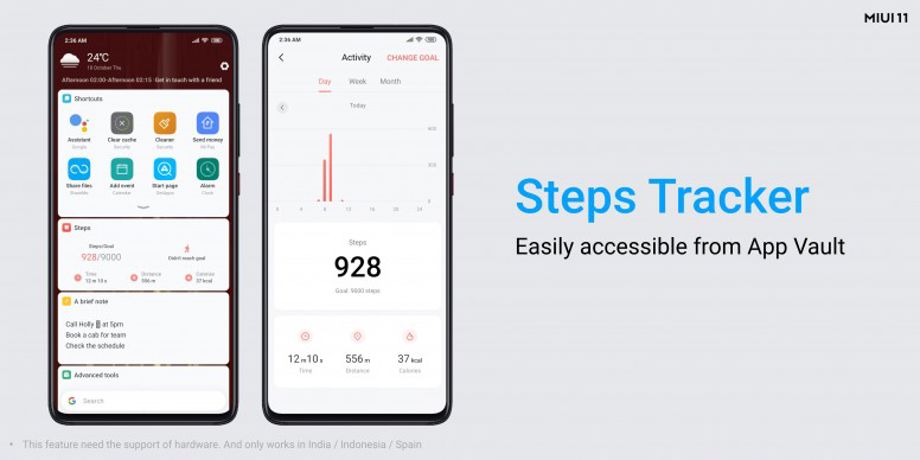 Image Credit: Mi Community
- Steps tracker: Track your steps along with distance and calories burnt and view progress on your App Vault
- Period tracker: Record and track your menstruation cycle in the calendar app
- Quick replies: Check messages without switching window or interrupting current task
Wireless printing
- Print photos and documents wirelessly without installing additional apps
Immersive gaming
- Game Turbo: Powerful gaming tools and cool sound effects for an immersive gaming experience
- Gaming toolbox 2.0: Switch between networks, block messages, use quick replies and answer calls in the background without interrupting your gaming session.
Emergency SOS
- Activate emergency SOS in 4 seconds and send a message with your location info to your emergency contacts.
Mint Keyboard
- Supports English and 25 other Indian languages
- Real-time emoji suggestions for Indic languages
- Translations within Transliterations
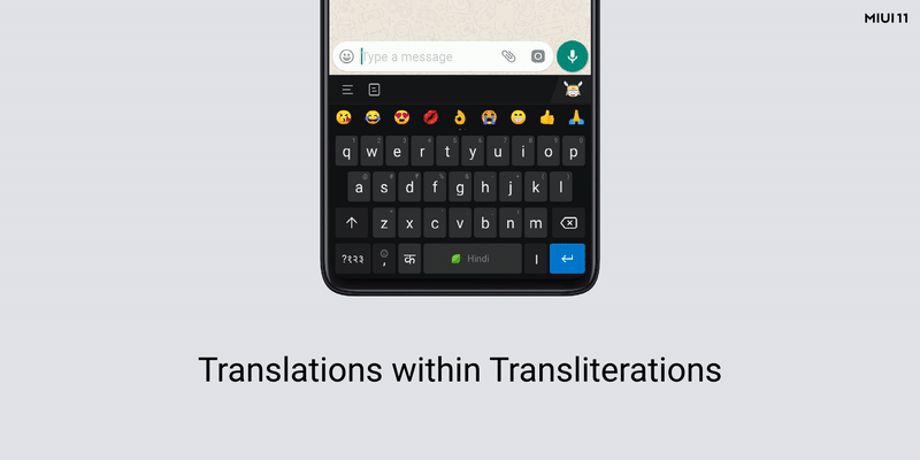
Image Credit: Mi Community


 Google News