

Autocorrect, smart compose now available on Google Docs comments
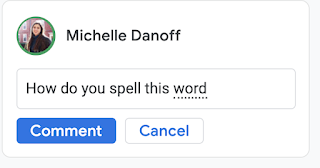
With spelling autocorrect, Google Docs will automatically correct misspellings while typing comments and the corrected word will be denoted with a grey dotted underline. As you continue typing, the dashed line will disappear. This feature is now available on both Rapid and Scheduled Release domains.
- Country:
- United States
Google has two new features to help Docs users compose comments faster and more easily. When adding comments on Google Docs, the Smart compose and spelling autocorrect features will be available by default and can be disabled by the user.
"Smart compose and spelling autocorrect available when adding comments in Google Docs. These features help users compose comments quickly and with confidence by reducing the chance of spelling and grammatical errors and suggesting relevant contextual phrases," Google wrote in a blog post.
With spelling autocorrect, Google Docs will automatically correct misspellings while typing comments and the corrected word will be denoted with a grey dotted underline. As you continue typing, the dashed line will disappear. This feature is now available on both Rapid and Scheduled Release domains.
On the other hand, the Smart Compose suggestions help reduce the chance of spelling and grammatical errors and can suggest relevant contextual phrases. It will appear in light grey when typing—to accept a suggestion, press "tab".This feature is available now on Rapid Release domains and is currently rolling out to Scheduled Release domains.
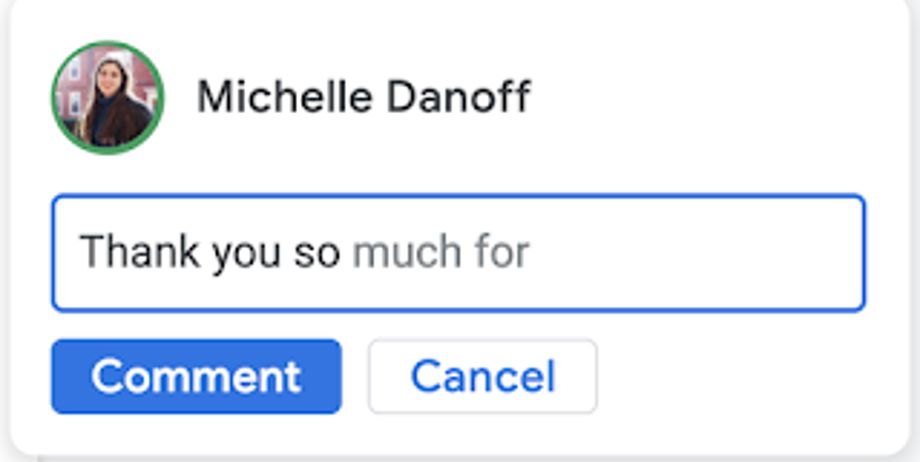 Image Credit: Google
Smart compose and spelling autocorrect on Google Docs comments are available to Google Workspace Essentials, Business Starter, Business Standard, Business Plus, Enterprise Essentials, Enterprise Standard, and Enterprise Plus, as well as G Suite Basic, Business, Education, Enterprise for Education, and Nonprofits customers


 Google News