

Record your first podcast easily: Beginner's guide
It sounds simple: you take your iPhone, sit in the kitchen with a friend, discuss new shows, upload the file to Apple Podcasts, and wake up a famous podcaster. What's the real deal? For people who want to record a podcast but don't know how to get started, here is an instruction on where to start, and what tools to use.
What is my podcast about and for whom? What genre is most fashionable: narrative, talk show, or interview?
Question: What do we want to tell and who do we want to tell it to? Think about why you want a podcast, rather than a YouTube video. Are you sure your story is appropriate for audio? No, we're not discouraging you, but by answering the question why am I doing this you'll articulate the idea better.
Try to be as specific as possible about the subject you're going to talk about. That means not just a podcast about music, but a podcast about sixteenth-century lute music, with composers of that era. You can start by choosing a problem solution speech idea, where you can practice on.
Study your competitors and listen to podcasts from the top Apple Podcasts, so you can find out what podcasts on similar topics already exist and how you can differ from them (as well as look for professional tricks).
Think over what format best reflects your idea: a monologue, a conversation between several presenters and guests, an interview, a narrative (like a documentary, but in audio format: with author's text, sound bites, and heroes' voices). This will determine what equipment you have to use and how long it will take to prepare, record, and edit the episode.
It is also convenient to outline in advance the frequency of your episodes. How often are you going to record and publish them? Do you have the time and energy to do it regularly - on a daily, weekly, or monthly basis?
I know what my podcast will be about. What's next: a title?
You probably already have several title choices. Which one should you choose? First of all, google it and see if there's a podcast with the same name. The name should be original enough to make your project easy to find on a search, yet not too flashy so listeners can remember it.
Do we need a script?
Preparation and structure are everything. Listen to your favorite podcasts: you'll find that there's a script even on talk shows where the hosts just seem to chat about different topics.
You don't have to spell out every line and question, but the general outline of the episode. What's the point of all this? First, you'll spend less time recording (and it's much easier and faster to edit a prepared conversation), and second, you'll quickly capture the audience's attention. Remember how you listen to podcasts: you don't want to waste your time listening to a distracted talk by hosts for five or ten minutes and wait for them to finally tell you what their podcast is about. For this purpose, you can use a professional essay editing service to correct your script.
How to choose a technique for recording? Do you have to buy an expensive microphone?
Good sound is a matter of respect for the listener. Saying oh, we have a lot of whistling and rumbling, but such an interesting guest is like saying oh, we have a lot of typos in the book, and in some places, the paint is too pale, but the novel is so interesting
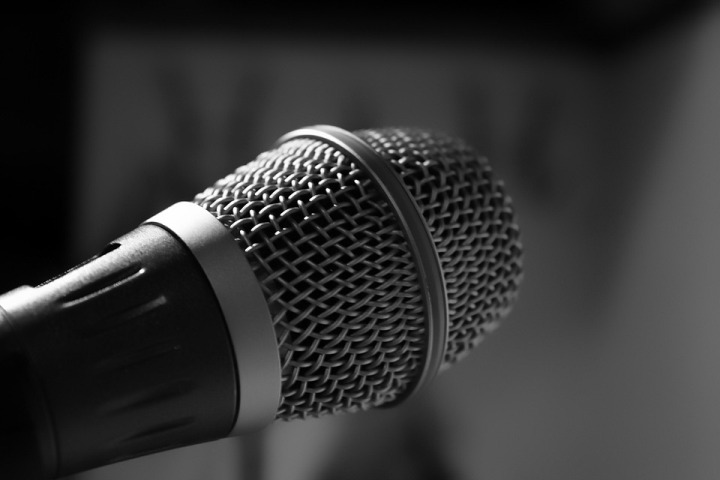
You can record good sound even with your iPhone under certain conditions, but for a professional podcast, you should think about additional equipment. It can be bought or if in doubt, rented.
If you do record on an iPhone, pay attention, firstly to the acoustics of the room and secondly, to how close you are to the phone. Try to do a test, record a couple of minutes, listen and determine at what distance from the phone you get the best sound.
If you are sure that your love for podcasts is serious and long-lasting, you'll have to figure out professional equipment: microphones, external sound cards, mixing consoles, portastudios (God, what is that?), and headphones.
What to choose and how to connect it all?
There are several basic configurations.
- USB-microphone + computer.
- Cockpit microphone + smartphone/computer. The file is immediately recorded on your device.
- Portastudio with built-in microphones (or you can additionally connect external microphones). The sound is usually recorded on an sd-card. This is essentially a professional digital recorder, which can be used both in the studio and on the street.
- Microphone + mixing console / external sound card + computer. Unlike the first variant with USB-microphone, this configuration allows you to connect several professional microphones (like on the radio) and other devices (e.g. musical instruments) simultaneously. Also, a remote or external sound card gives the microphone the necessary amplification (so that voices are recorded loud enough and volumetrically).
Hope this technical advice will help you to create the greatest podcast!
(Devdiscourse's journalists were not involved in the production of this article. The facts and opinions appearing in the article do not reflect the views of Devdiscourse and Devdiscourse does not claim any responsibility for the same.)


 Google News