

You can now view embedded Microsoft Office files in Google Docs, Sheets, Slides
This feature will be available to all Workspace customers, G Suite Basic and Business customers as well as to users with personal Google Accounts.
Google has added the ability for you to view embedded Microsoft Office files in your documents when working with Microsoft Office files in Docs, Sheets, and Slides. This feature will be available to all Workspace customers, G Suite Basic and Business customers as well as to users with personal Google Accounts.
"We've heard your feedback that it's important to be able to access embedded files within your Microsoft Office files. This feature enables you to access embedded Office files within your existing Office files from Docs, Sheets, and Slides for a seamless work experience," Google said.
The new feature will let you:
- View the files in preview mode
- Copy an embedded file directly to Drive, or download it
- View your embedded files from Office in your documents
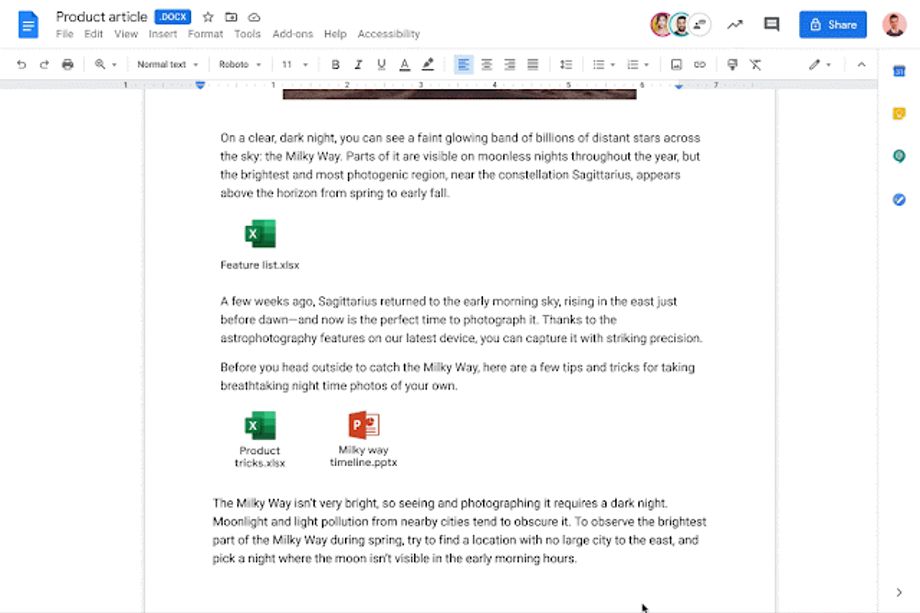
Gif Credit: Google Workspace Updates Blog
It is worth mentioning that there is no admin or end-user control for this feature.
The ability to view embedded Microsoft Office files in Google Docs, Sheets, Slides is gradually rolling out to Rapid Release domains and may take up to 15 days for the feature to be fully visible. On the other hand, Scheduled Release Domains will be receiving the feature starting on September 6, 2021.


 Google News