

OxygenOS 13 Open Beta 2 now available for OnePlus 8/8 Pro and OnePlus 8T
- Country:
- India
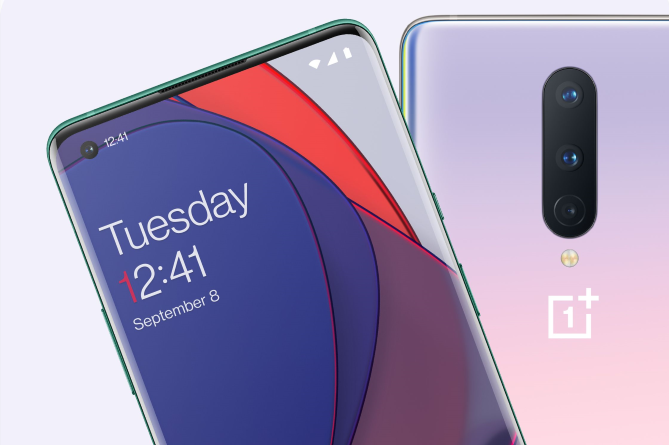
OnePlus on Thursday announced the availability of the OxygenOS 13 Open Beta 2, based on Android 13, for the OnePlus 8, OnePlus 8 Pro and the OnePlus 8T in India.
To upgrade to this build, your device must be in the latest OxygenOS 12 version (C.35/36) and a minimum of 5.5GB of storage space should be available. Also, make sure that your handset's battery level is above 30%.
Here's the complete update changelog (via):
Aquamorphic Design
- Adds Aquamorphic Design theme colors for enhanced visual comfort.
- Applies the Aquamorphic Design philosophy to animations to make them natural and vivid.
- Adds Shadow-Reflective Clock, with shadow simulating the orientation of the sun and moon.
- Upgrades to Quantum Animation Engine 4.0, with a new behavior recognition feature, which recognizes complex gestures and provides optimized interactions.
- Optimizes UI layers for a clearer and neater visual experience.
- Applies real-world physical motions to animations to make them look more natural and intuitive.
- Adapts responsive layouts to accommodate different screen sizes to improve readability.
- Optimizes the widget design to make information easier and quicker to find.
- Optimizes fonts for better readability.
- Optimizes system icons by using the latest color scheme to make the icons easier to recognize.
- Enriches and optimizes illustrations for features by incorporating multicultural and inclusive elements.
Efficiency
- Adds Meeting Assistant to enhance the meeting connecting and note-taking experience and introduces an option to make notifications more subtle and less distracting.
- Adds large folders to the Home screen. You can now open an app in an enlarged folder with just one tap and turn pages in the folder with a swipe.
- Adds media playback control, and optimizes the Quick Settings experience.
- Adds more markup tools for screenshot editing.
- Upgrades Doodle in Notes. You can now draw on graphics to take notes more efficiently.
- Optimizes Shelf. Swiping down on the Home screen will bring up Shelf by default. You can search content online and on your device.
Seamless interconnection
- Optimizes earphone connectivity to deliver a more seamless experience.
Personalization
- Optimizes Bitmoji to offer more Always-On Display animations.
- Adds Omoji to let you fully express yourself with customized avatars
- Optimizes Insight Always-On Display, with more personalized Always-On Display settings available.
- Optimizes Canvas Always-On Display, with more drawing tools and line colors available.
Security & privacy
- Adds an automatic pixelation feature for chat screenshots. The system can identify and automatically pixelate profile pictures and display names in a chat screenshot to protect your privacy.
- Adds regular clearing of clipboard data for privacy protection.
- Optimizes Private Safe. The Advanced Encryption Standard (AES) is used to encrypt all files for enhanced security of private files.
Health & Digital wellbeing
- Adds Kid Space, providing screen time limit, ambient light reminders, and Eye-protecting display features.
Gaming experience
- Upgrades to HyperBoost GPA 4.0 to stabilize the frame rate and balance the performance and power consumption in key scenarios.
- Optimizes the pre-launch capabilities of Quick startup to load games faster.
System
- Improves system stability.
- Extends the battery life in some scenarios.
- Fixes a display issue with the charging animation on the Lock screen.
- Fixes a display issue with the Screen-off gestures in Settings.
- Integrates the October 2022 Android security patch to enhance system security.


 Google News