

Samsung brings Galaxy Note 20 features to S20 series with One UI 2.5 update
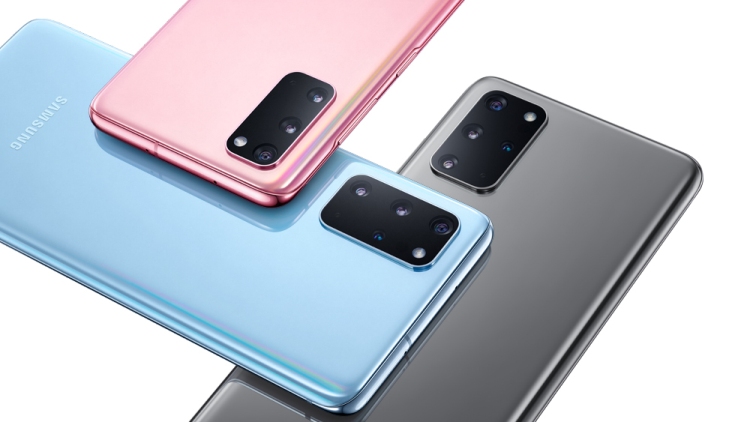
Starting today, the Galaxy S20, S20 Plus, and S20 Ultra users will receive the update with other Galaxy devices to gradually join the list.
- Country:
- Korea Rep
Samsung is rolling the One UI 2.5 update to the Galaxy S20 series that will bring some of the most powerful features from the Galaxy Note 20 series including Samsung DeX, Pro Video mode, among others.
Starting today, the Galaxy S20, S20 Plus, and S20 Ultra users will receive the update with other Galaxy devices to gradually join the list. Here are the features the One UI 2.5 update will bring to the Galaxy S20 lineup:
Pro Video mode
This feature allows you to capture pro-grade 8K video with a 24fps frame rate and choose between 16:9 or 21:9 aspect ratios to give it a cinematic look. The Pro Video mode offers ISO, shutter speed, manual focus, microphone control, and more options to produce high-fidelity videos.
Samsung Notes
The updated Samsung Notes brings:
- Audio Bookmark: It allows you to synchronize handwritten notes with audio recordings of lectures or meetings.
- Auto save & sync: It allows you to quickly access notes across multiple devices such as your Galaxy S20, tablet, or a PC.
Other updates to Samsung Notes include the new template and background color options, the ability to add handwritten text to typed documents, and import PDF files and make handwritten notes on them.
Samsung Dex
Samsung DeX allows you to wirelessly connect your phone with a TV and watch a movie or multitask with several apps via DeX. It also lets you turn your Galaxy S20 into a touchpad or use Bixby to control the second display with gestures.
Advanced WiFi connectivity
The Galaxy S20 update brings advanced Wi-Fi features including the ability to easily share the password of your Wi-Fi network with nearby Galaxy devices. When connecting to public Wi-Fi networks, the new feature shows the speed of WiFi connections so that you can easily find the highest-quality connection.
Reminder app
The app will allow you to preset time and location for upcoming meetings and tasks.


 Google News