

You can now manage kid’s spending on Xbox consoles via Family Settings app
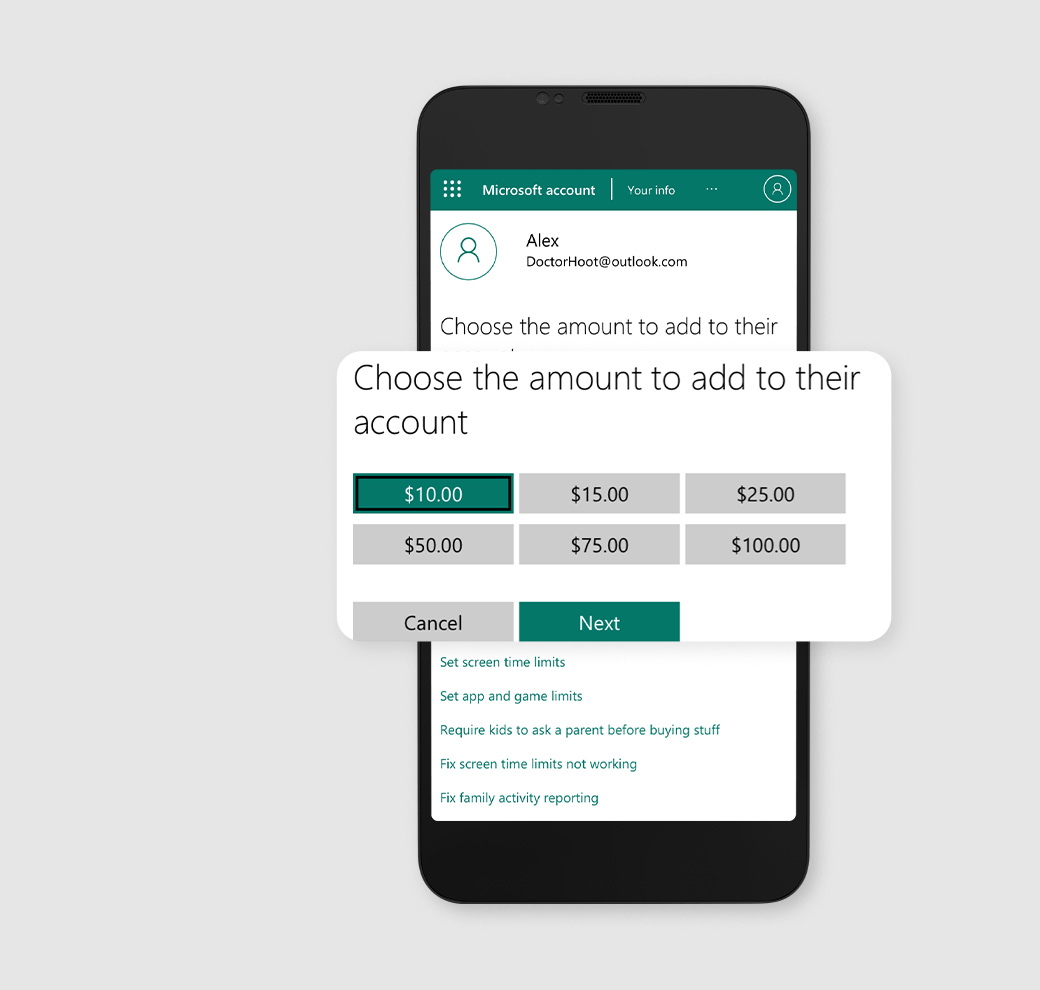
Parents can now manage their children's spending by adding money to their account directly from the Xbox Family Settings app. The amount they decide to add to their child’s account can apply to any purchase, including games, in-game purchases like skins, and apps. This feature will help prevent any surprise spending.
The Xbox Family Settings app, which allows parents to create child accounts, update screen time limits, respond to notifications, manage who their children can play and communicate with and much more from their phones, has added new options to help them track and manage their kids' spending so that they stay within their budget.
"We know it's important to parents to track and manage their children's spending when they game to avoid any unexpected surprises or bills. With these new features, parents are empowered to customize their family&'s access to spending money in games or in the Microsoft Store to fit what's right for them," the company wrote in a blog post on Tuesday.
Here are the new options added to the Xbox Family Settings app:
Set spending limits
Parents can now manage their children's spending by adding money to their account directly from the Xbox Family Settings app. The amount they decide to add to their child's account can apply to any purchase, including games, in-game purchases like skins, and apps. This feature will help prevent any surprise spending.
Ask to Buy
When this feature is turned on, you (parents) will receive a notification each time their child wants to make a purchase that they don't have funding for. Once you receive the notification, you can choose to make the purchase on your child's behalf or add money to their account for in-game purchases. You can also hit the "deny" button to disapprove the purchase.
View your child's account balance
You can review your child's recent spending history to keep track of their spending for games and in-app purchases.
View your child's spending history
You can also keep track of your kid's recent purchases by viewing their spending history.
The Xbox Family Settings app is compatible with iOS version 10 or higher and Android version 5 or higher. You can download the app for free from the Apple App Store and Google Play Store, respectively.


 Google News