

You can now try live translated captions in Google Meet
The beta is now available to meetings organized by Google Workspace Business Plus, Enterprise Standard, Enterprise Plus, Education Plus, and Teaching & Learning Upgrade customers.
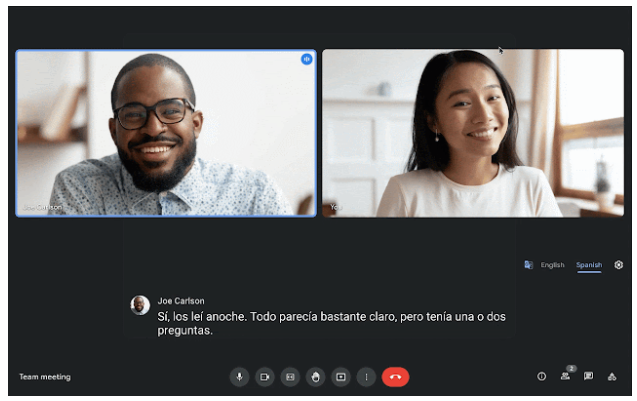
The live translated captions feature in Google Meet is now available in beta for certain Workspace editions. The feature helps video call participants communicate better by translating a spoken language to captions in another language.
You can use translated captions to translate spoken English into:
- French
- German
- Portuguese
- Spanish
"Translated captions help Google Meet video calls to be more global, inclusive and effective by removing language ability as a barrier to collaboration. By helping users consume the content in a preferred language, you can help equalize information sharing, learning, and collaboration, and make sure your meetings are as effective as possible," Google wrote in a blog post.
"This could be particularly useful for all-hands meetings and training programs with globally distributed teams, ensuring every employee understands and is not disadvantaged due to language skills."
The beta is now available to meetings organized by Google Workspace Business Plus, Enterprise Standard, Enterprise Plus, Education Plus, and Teaching & Learning Upgrade customers.
Admins can enroll in the beta and once they get enrolled, the feature will be available by default to end-users.
How to use live translated captions in Google Meet?
- Open Google Meet.
- From a meeting, click More options (three-dot icon) > Settings > Captions
- Turn on "Captions" and set the language to English
- Turn on "Translated captions."
- Select a language:
- French
- German
- Portuguese
- Spanish


 Google News