

OnePlus 6, OnePlus 6T get OxygenOS 10.0 update based on Android 10
Broader roll out will take place a few days after the company ensures that there are no critical bugs.

- Country:
- India
The OnePlus 6 and OnePlus 6T flagship devices have begun receiving OxygenOS version 10.0 based on Android 10. With this latest update, OnePlus has brought a plethora of new features and improvements to enhance user experience.
Since the update is not region-specific and is randomly pushed out to a limited number of devices, so it can't be downloaded using a VPN and hence a limited number of users will receive the update. Broader roll out will take place a few days after the company ensures that there are no critical bugs.
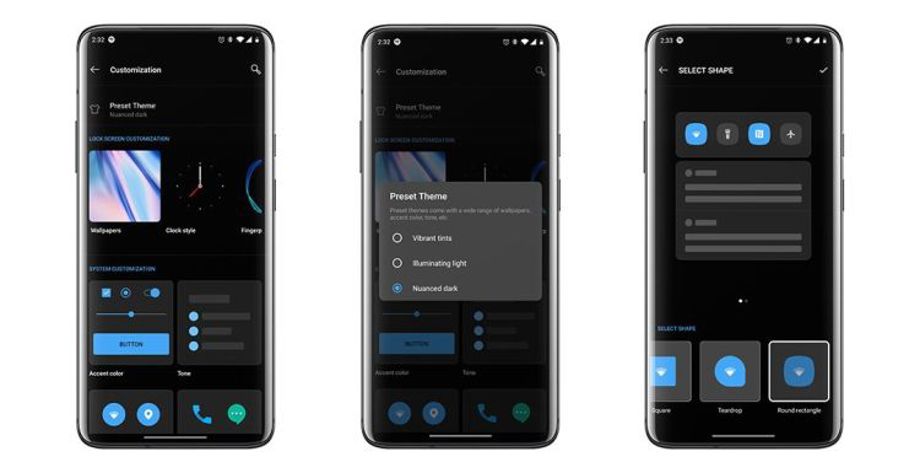
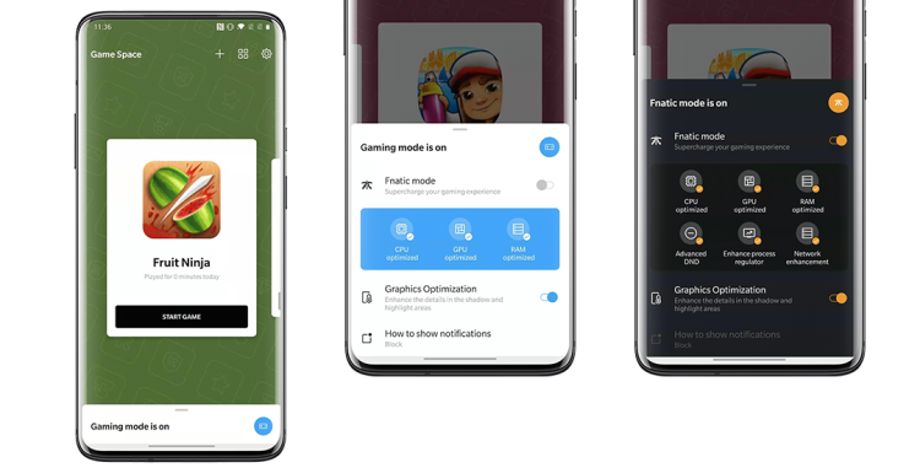
This new Android update brings new features to the Oxygen OS such as Smart Display in Ambient display, more customization settings, including the lock screen, system, and 3 preset themes, comprehensive privacy management, Game Space, Share Wi-Fi and two modes for apps' notifications.
Notably, the Hide Notch ( display cutout) option is unavailable on this version, the company notified via a post in the OnePlus Community forum.
Full Changelog includes:
System
- Upgraded to Android 10
- Brand new UI design
- Enhanced location permissions for privacy
- New customization feature in Settings allowing you to choose icon shapes to be displayed in the Quick Settings
- General bug fixes and improvements
Full-Screen Gestures
- Added inward swipes from the left or right edge of the screen to go back
- Added a bottom navigation bar to allow switching left or right for recent apps
Game Space
- This new feature brings all your favorite games under one roof for easier access and smoothest gaming experience. Game Space also provides access to options like Fnatic Mode and Graphic Optimization for next-level gaming.
Contextual Display
- Intelligent info based on specific times, locations and events for Ambient Display
- Settings > Display > Ambient Display > Contextual Display
Message
- Now possible to block spam by keywords for Message
- Messages - Spam - Settings - Blocking settings


 Google News