



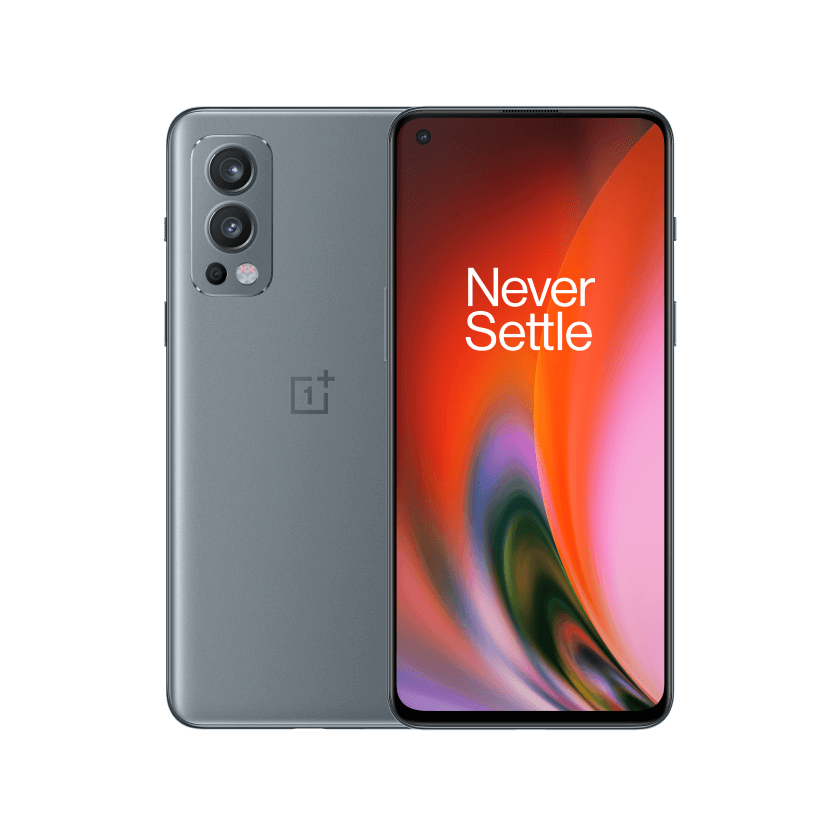
OxygenOS 13 Open Beta 2 now available for OnePlus Nord 2
- Country:
- India
OnePlus is starting the second round of OxygenOS 13 Open Beta Test (OBT) 2 for the OnePlus Nord 2 devices in India. The company is seeking 5000 eligible users to participate in the Open Beta Program and gain early access to OxygenOS 13, based on Android 13, in advance.
Before submitting the application, make sure your device is updated to the detectable version: DN2101_11.C.12/DN2101_11.C.13. To apply for this beta program, head over to Settings > About device > Tap up to date > Tap icon on the top right > Beta program > Beta > Fill in your information > Apply Now.
The last date for submitting the application is April 5.
OnePlus Nord 2 OxygenOS 13 Open Beta 2 update changelog
Aquamorphic Design
- Adds Aquamorphic Design theme colours for enhanced visual comfort.
- Applies the Aquamorphic Design philosophy to animations to make them natural and vivid.
- Adds Shadow-Reflective Clock, with shadow simulating the orientation of the sun and moon.
- Adds a Home screen world clock widget to show the time in different time zones.
- Upgrades to Quantum Animation Engine 4.0, with a new behaviour recognition feature, which recognizes complex gestures and provides optimized interactions.
- Optimizes UI layers for a clearer and neater visual experience.
- Applies real-world physical motions to animations to make them look more natural and intuitive.
- Adapts responsive layouts to accommodate different screen sizes to improve readability.
- Optimizes the widget design to make information easier and quicker to find.
- Optimizes fonts for better readability.
- Optimizes system icons by using the latest colour scheme to make the icons easier to recognize.
- Enriches and optimizes illustrations for features by incorporating multicultural and inclusive elements.
Efficiency
- Adds large folders to the Home screen. You can now open an app in an enlarged folder with just one tap and turn pages in the folder with a swipe.
- Adds media playback control, and optimizes the Quick Settings experience.
- Adds more markup tools for screenshot editing.
- Adds support for adding widgets to the Home screen, making information display more personalized.
- Adds Sidebar Toolbox. You can open a floating window inside apps for smooth operation.
- Optimizes Shelf. Swiping down on the Home screen will bring up Shelf by default. You can search content online and on your device.
Seamless interconnection
- Optimizes Screencast, with cast content automatically adapting to the target screen.
- Optimizes earphone connectivity to deliver a more seamless experience.
Personalization
- Optimizes Bitmoji to offer more Always-On Display animations.
- Optimizes Insight Always-On Display, with more personalized Always-On Display settings available.
- Optimizes Portrait Silhouette Always-On Display, with more drawing tools and line colors available.
Security & Privacy
- Adds an automatic pixelation feature for chat screenshots. The system can identify and automatically pixelate profile pictures and display names in a chat screenshot to protect your privacy.
- Adds regular clearing of clipboard data for privacy protection.
- Optimizes Private Safe. The Advanced Encryption Standard (AES) is used to encrypt all files for enhanced security of private files.
Health & Digital wellbeing
- Adds Eye comfort in Kid Space to protect children's vision.
Performance optimization
- Adds Dynamic Computing Engine to improve the system speed, stability, battery life, and app experience.
Gaming experience
- Upgrades to HyperBoost GPA 4.0 to stabilize the frame rate and balance the performance and power consumption in key scenarios.
- READ MORE ON:
- OnePlus Nord 2 OxygenOS 13 Open Beta 2
- OnePlus Nord 2
- OxygenOS 13


 Google News