

You can now mute notifications in focus time in Google Calendar
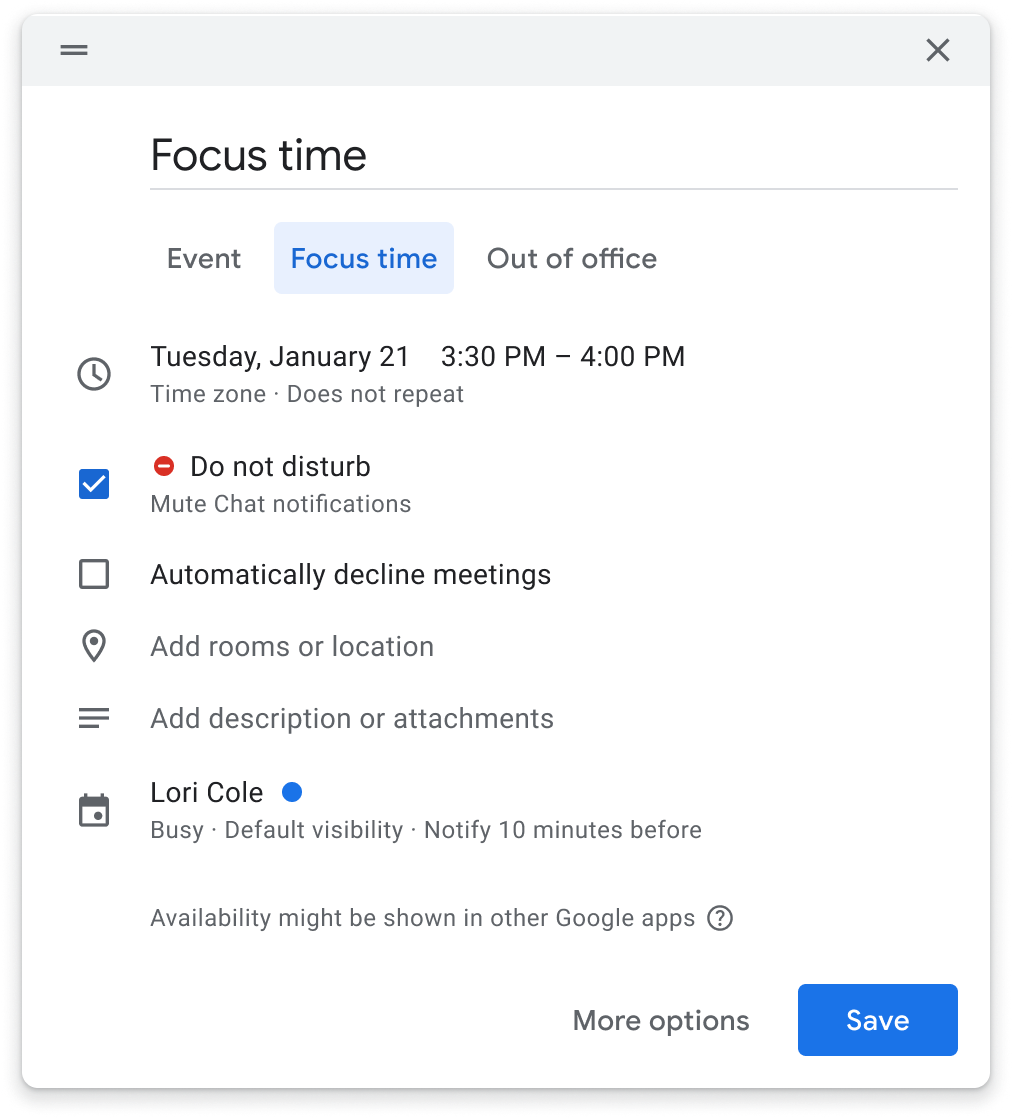
Google has introduced a new setting that allows users to conveniently mute notifications during their designated focus time directly within Calendar, The new feature will bridge the gap between "Do Not Disturb" and focused work sessions, the tech giant said.
You can turn off Chat notifications when you create or edit focus time in Google Calendar - check the box next to "Do not disturb". This action will automatically mute chat notifications during the specified focus time, allowing individuals to maintain their concentration without interruptions from incoming messages.
"In 2021, we introduced the option to reflect time set aside for focus in Google Calendar with the focus time entry type. When coupled with the do not disturb setting in Google Chat, users are able to protect their time for heads-down individual work without distractions. To increase concentration and bridge the gap between do not disturb and focus time, you can now mute notifications for the duration of your focus time directly in Calendar," Google wrote in a blog post.
The rollout of this new feature will be gradual, with Rapid Release domains gaining visibility starting June 28, 2023, and Scheduled Release domains following suit on July 12, 2023.
The new setting in Google Calendar will be available to Enterprise Standard, Enterprise Plus, Business Standard, Business Plus, Education Standard, Education Plus, and Nonprofits.


 Google News