

One UI 2.5 update reportedly rolling out to Samsung Galaxy M31s
Further, the new update brings the 'Live the Alt Z Life' feature with Quick Switch and Content Suggestions to the Galaxy M31s. Quick Switch allows users to instantly switch between main and private mode by double-clicking the side button whereas Content Suggestions intelligently recognizes and suggests images that one may want to keep private and allows to move them instantly to the private gallery.
- Country:
- India
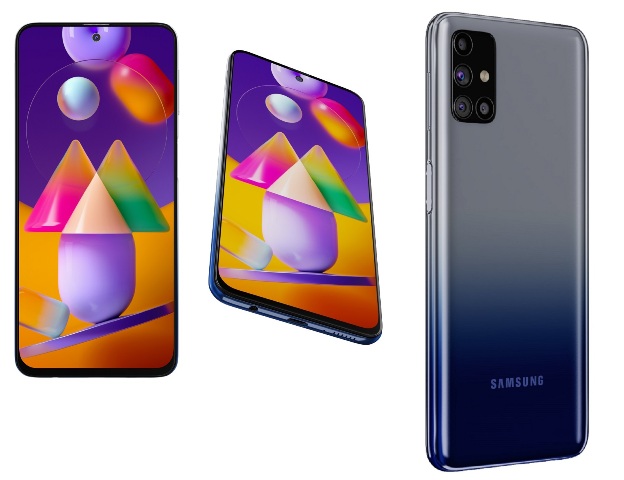
Samsung is reportedly rolling out the One UI 2.5 update for Galaxy M31s users in India. The new update comes with build number M317FXXU2BTK1 and is reported to be 748MB in size.
The One UI 2.5 update comes with November 2020 Android security patch along with camera improvements and an updated messages app. It also adds support for Bitmoji Stickers on AOD and split Keyboard in Landscape mode in the Galaxy M31s.
Further, the new update brings the 'Live the Alt Z Life' feature with Quick Switch and Content Suggestions. Quick Switch allows users to instantly switch between main and private mode by double-clicking the side button whereas Content Suggestions intelligently recognizes and suggests images that one may want to keep private and allows to move them instantly to the private gallery.
Here's the complete changelog for the One UI 2.5 update for the Galaxy M31s:
Always On Display
- Bitmoji Stickers are supported on Always On Display. (Clock style)
Samsung keyboard
- Split Keyboard is supported on Landscape mode
- The search function of the "Manage Input Languages" screen in the Keyboard Settings page has been newly updated to make it easy to find keyboard input languages that the user wishes to add or delete.
Camera
- Improved performance. - Pro video, AR Emoji, AR Doodle, Scene optimizer, SmartScan
Messages
- A feature has been added that allows the user to call a person who is saved as a pre-configured SOS message contact
- A feature has been added that allows the user to send SOS location-sharing messages every 30 minutes for 24 hours.
Other Updates
- Added new feature: Secure Folder
Live the Alt Z Life with Awesome New features
Quick switch
- Switch between private and public modes of any app like WhatsApp, Gallery, Camera, etc. with a quick double click on the side key of your phone
- Keep your private content safe in your secure folder without anyone knowing about its existence.
Content Suggestions
- Store your private images away from the public eye. Our AI will recommend content that it considers sensitive so that you may store it safely
- All processing happens securely and exclusively on your device.


 Google News