

New update fixes media player issue in OnePlus 8T
Currently, the OxygenOS 11.0.6.8 update is rolling out to OnePlus 8T users in India while users in the EU and NA region will receive it soon. For EU models, the update will arrive as OxygenOS 11.0.6.9.
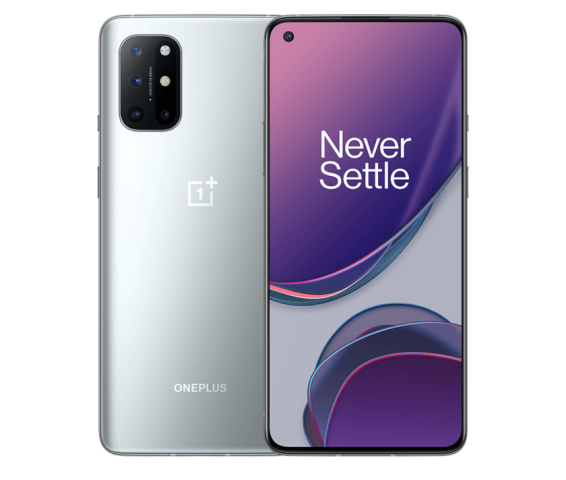
Late last month, OnePlus rolled out an update for the OnePlus 8T users in India and North America (NA) regions that brought the November 2020 Android security patch, a couple of bug fixes and optimizations. Now the company is releasing a fresh update that brings a fix for the issue that caused the media player to pause abnormally.
Currently, the OxygenOS 11.0.6.8 update is rolling out to OnePlus 8T users in India while users in the EU and NA region will receive it soon. For EU models, the update will arrive as OxygenOS 11.0.6.9.
Build numbers:
- IN: 11.0.6.8.KB05DA
- EU: 11.0.6.9.KB05BA
- NA: 11.0.6.8.KB05AA
The changelog is exactly the same as the previous OxygenOS 11.0.6.7 update with an additional fix for the media player issue. As always, the OTA is incremental in nature, meaning a limited number of users will receive it now and a broader rollout will take place in a few days after the OnePlus ensures that there are no critical bugs.
Here's the complete changelog for the OxygenOS 11.0.6.8 update for the OnePlus 8T:
System
- Optimized the experience of full-screen gestures
- Increased fingerprint unlock success rates for faster unlock speed
- Newly added keyboard height adjustment where you can raise or hide the bottom shortcut bar for a better input experience (Go to Settings-System-Language & input-Keyboard height adjustment)
- Fixed the issue that the media player may pause abnormally
- Updated Android security patch to 2020.11
Camera
- Optimized the image quality on nightscape
Gallery
- Fixed a small probability issue that photos don't display in the Gallery
Network
- Fixed the issue that the WiFi connection failed in a specific situation
- Improved the stability of communication
OnePlus Store (---IN only)
- An intuitive and convenient way to manage your OnePlus account, get easy-to-access support, discover exciting members-only benefits, and shop for OnePlus products. (Please note that it can be uninstalled)
If you haven't received the update notification yet, you can check it manually by heading over to the phone's Settings > System > System Updates


 Google News