

Adobe adds new collaboration feature in Photoshop, Illustrator and Fresco
The new "Invite to Edit" feature allows Photoshop, Illustrator and Fresco users to share access to a cloud document and invite others to make edits on the shared cloud document on all surfaces across the desktop, iPad, and iPhone (Fresco).

Adobe has made collaboration much easier for people working on shared projects on Photoshop, Illustrator and Fresco.
The new "Invite to Edit" feature allows Photoshop, Illustrator and Fresco users to share access to a cloud document and invite others to make edits on the shared cloud document on all surfaces across the desktop, iPad, and iPhone (Fresco).
"Starting today, we make collaborating with others when working together on Photoshop and Illustrator documents much easier with the new Invite to Edit feature. This is a huge time saver for teams working on shared projects," Adobe wrote in a blog post on Tuesday.
To invite others to edit a document, you need to first save your .PSD or .AI files as cloud documents. You can also edit files that have been shared with you. In addition, you can access your shared cloud documents on assets.adobe.com and the Creative Cloud Desktop app.
The Invite to Edit icon features an "Add People" section to type in the email addresses of the people you want to collaborate with and also type a quick note for the recipients (optional). Additionally, the owner of the shared document can remove collaborators at any time whereas collaborators have the ability to leave if they no longer want to contribute.
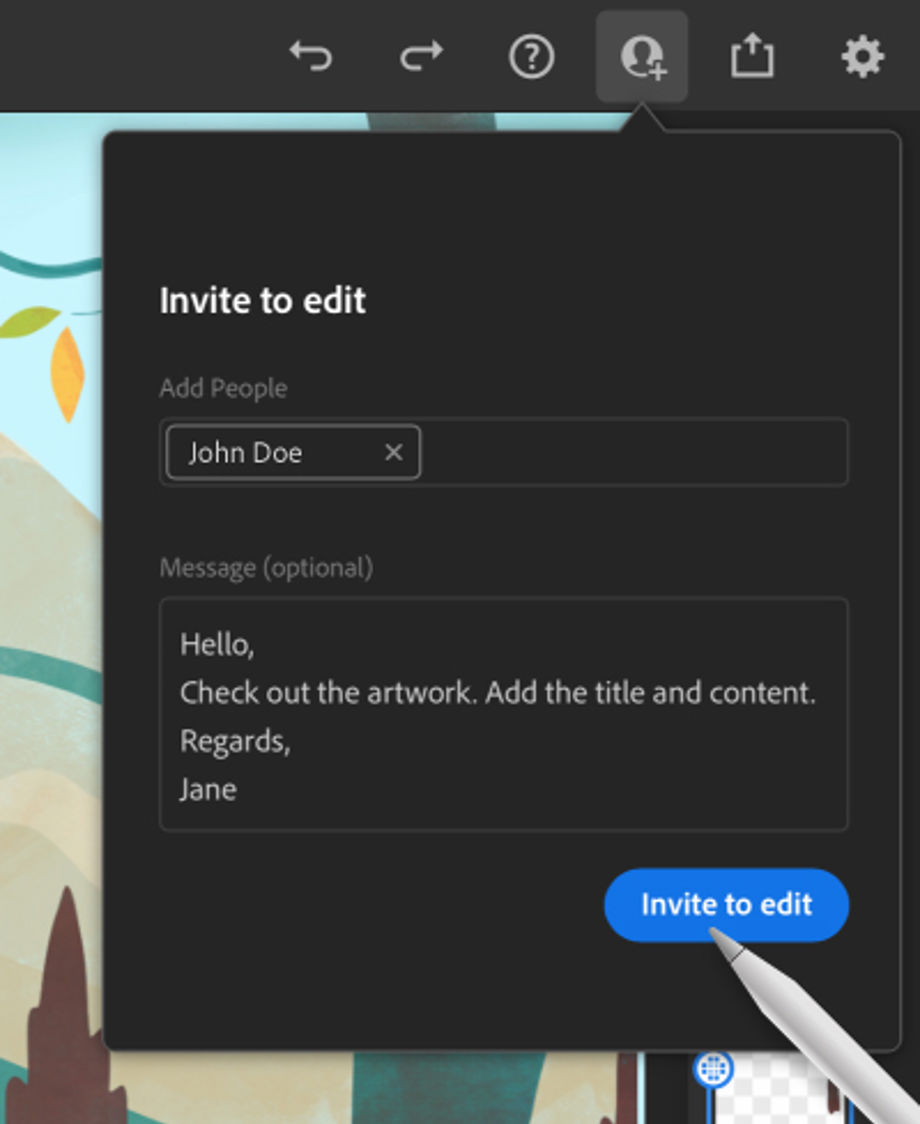
Inviting collaborators on Fresco / Image Credit: Adobe
Apart from the editing feature, Adobe has introduced a "Preset Sync" feature in Photoshop that allows users to easily sync Brushes, Gradients, Swatches, Styles, Shapes, and Patterns to Creative Cloud so that you can access them on any other desktop device you log into.
Preset Sync is available in the desktop version of Photoshop on Mac and Windows, and synced brushes will soon arrive on the iPad version. To enable or disable the feature, head over to Preset Syncing in Preferences > General > Preset Syncing.


 Google News