



Latest OnePlus 8T update brings August security patch, Bitmoji AOD
As per the changelog shared by OnePlus on its official community forums page, the update brings the screenshot feature for Always-on Display (AOD), August 2021 Android security patch and Bitmoji AOD feature, among others. The update also brings OnePlus Store to the India units of the OnePlus 8T.
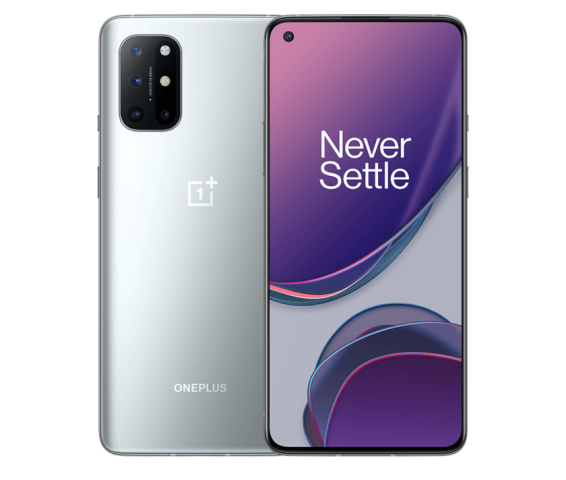
The OnePlus 8T is receiving a new OxygenOS-based software update in the European region, with North America and India units to shortly follow. The update is arriving as OxygenOS 11.0.10.10 in NA and EU and 11.0.9.9 in the IN region.
As per the changelog shared by OnePlus on its official community forums page, the update brings the screenshot feature for Always-on Display (AOD), August 2021 Android security patch and Bitmoji AOD feature, among others. The update also brings OnePlus Store to the India units of the OnePlus 8T.
Here's the complete changelog for the latest OnePlus 8T OxygenOS update:
System
- Newly adapted OnePlus Buds Pro and brought new powerful features
- Newly added the screenshot feature for AOD
- Fixed the failed issue of Navigation gestures in some scenes
- Improved system stability and fixed known issues
- Updated Android security patch to 2021.08
Camera
- Optimized the portrait mode effect of the front camera
OnePlus Store (IN Only)
- An intuitive and convenient way to manage your OnePlus account, get easy-to-access support, discover exciting members-only benefits, and shop for OnePlus products. (Please note that it can be uninstalled)
Ambient Display
- Newly added Bitmoji AOD, co-designed with Snapchat, which will liven up the ambient display with your personal Bitmoji avatar. Your avatar will update throughout the day based on your activity and things happening around you ( Path: Settings - Customization - Clock on ambient display - Bitmoji )
Here are the build numbers for the latest OnePlus 8T update:
- IN: 11.0.9.9.KB05DA
- EU: 11.0.10.10.KB05BA
- NA: 11.0.10.10.KB05AA
Starting today, OnePlus is pushing the update to a limited number of users and will begin a broader rollout in a few days if there no critical bugs are found. To manually check if the update is available for your handset, head over to the phone's Setting > System > System Updates.


 Google News