



Hand raising capability comes to Google Meet hardware devices
The feature is easily accessible to room kits using a remote control, just open the participant list and click the hand raise button. If other participants raise a hand, you will see a notification as well as a badge on their video tile.
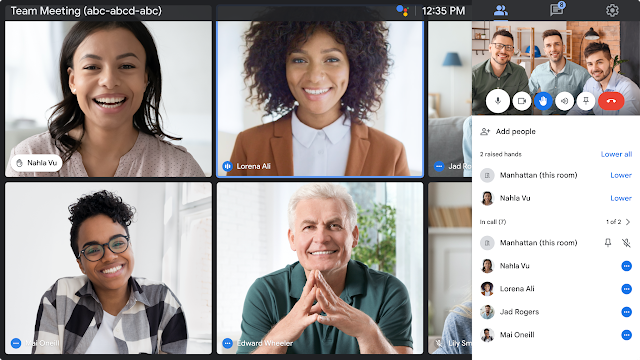
The ability to virtually raise your hand in Google Meet video calls is now coming to all Meet hardware devices. Google says this will help bring a more unified experience to hybrid working.
Hand Raise on a Room Kit using a touch controller
To raise your hand on a touch controller, simply tap “Raise Hand” at the top. Once a hand is raised, the moderator and all other participants will see a list of participants in the order in which they raised their hands. The touch controller will also show all other participants who raised their hand, as well as an easy way to switch back to the full participant list.
Hand Raise on a Room Kit with remote control
The feature is easily accessible to room kits using a remote control, just open the participant list and click the hand raise button. If other participants raise a hand, you will see a notification as well as a badge on their video tile.
As far as availability is concerned, the hand raising capability is available to Google Workspace Essentials, Business Starter, Business Standard, Business Plus, Enterprise Standard, Enterprise Essentials, Enterprise Plus, Education Fundamentals, Education Standard, Education Plus, Teaching and Learning Upgrade, and Nonprofits, as well as G Suite Business customers.
Google noted that the feature will not be to Legacy Free, Business Starter, and Frontline customers.


 Google News