



Microsoft releases Windows 11 build 22504; expands touch keyboard themes and more
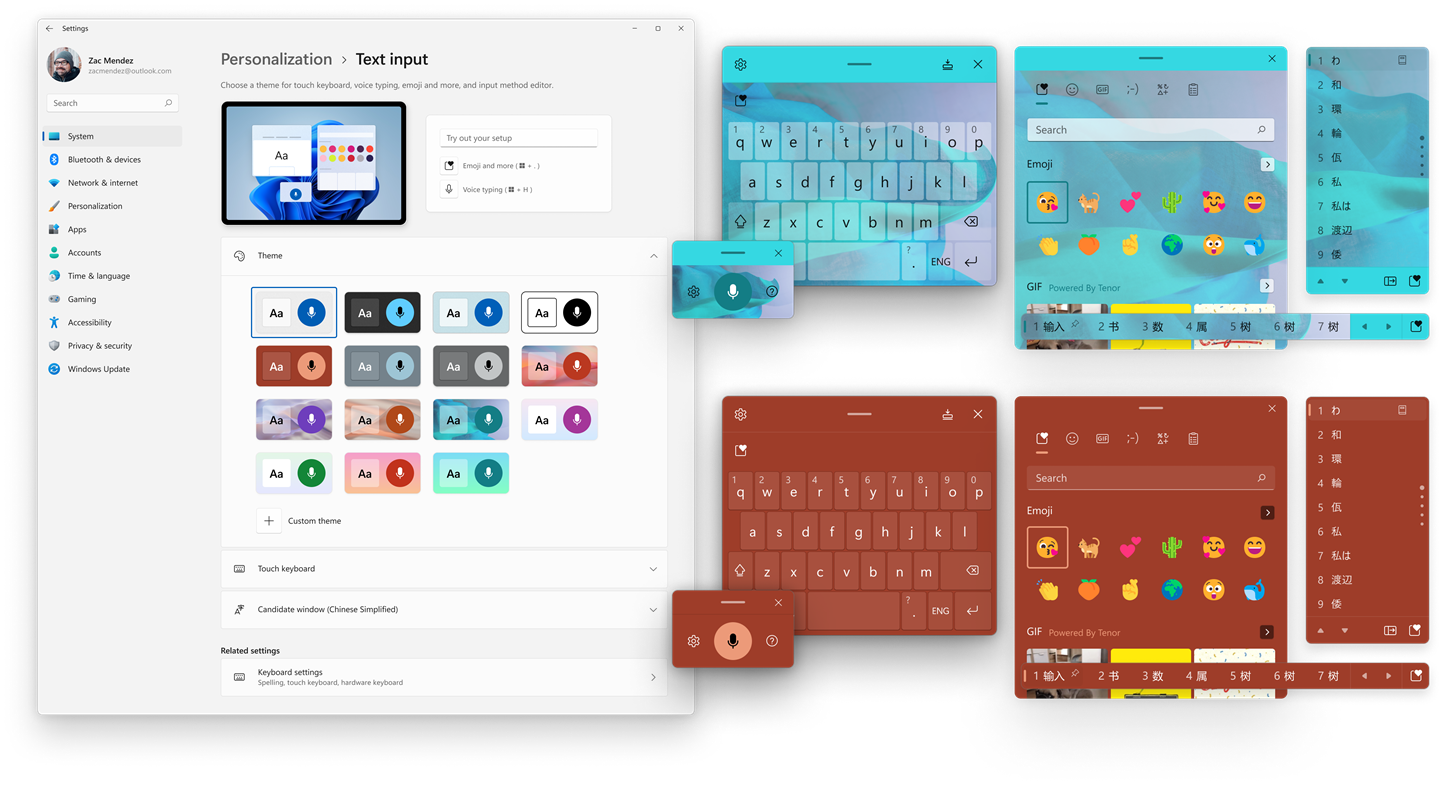
Microsoft is rolling out the Windows 11 Insider Preview Build 22504 to Insiders in the Dev Channel. With this build, the company is expanding the 13 themes for the touch keyboard to other input experiences, adding the ability to personalize emoji and more.
The Windows 11 touch keyboard themes now apply to our other input experiences, including IMEs, the emoji panel, and voice typing. You can find the themes under the new “Text Input” section under Settings > Personalization.
Secondly, this build has added the ability to personalize an emoji based on the face and skin tones of family members, couples with heart, kissing, and people holding hands.
Both experiences are rolling out to a subset of Windows Insiders in the Dev Channel. Based on the feedback, Microsoft will push them out to everyone later.
The Windows 11 Insider Preview Build 22504 includes a few more changes:
- You can now use the WIN + Alt + K keyboard shortcut to toggle the new mute icon in the Taskbar when it's showing.
- Based on feedback, we’re making emoji search in Portuguese and Polish a little more flexible with keywords containing diacritics.
- Introducing .NET Framework 4.8.1 our latest .NET Framework that will bring native ARM64 support for the .NET Framework runtime.
- As Settings > System > Sound in Windows 11 shows a warning when microphone access has been restricted in your privacy settings, we're removing the notification to alert you about this.
- Added support for the cancellation of daylight savings time for the Republic of Fiji for 2021.
- We're making a change so that going forward on new installs the touch indicator option will now be turned off by default under Settings > Accessibility > Mouse pointer and touch. As part of this change, we’ve added a link to this Settings page from Settings > Bluetooth & Devices > Touch and made it so that the press and hold visual is now always displayed regardless of the setting state.
- Apps will now launch maximized by default when in the tablet posture on small devices (11-inch screens diagonal and under).
Apart from this, there is a long list of fixes and known issues included in this build.


 Google News