



Google announces new Chromebook features as Chrome OS hit update 100
With this update, Chromebook's Launcher is getting an updated design and enhanced search functionality to help you find more. Now, Launcher will open on the side of your screen instead of from the bottom and you can also organize apps by name or color, or manually arrange them in any order as per your choice.
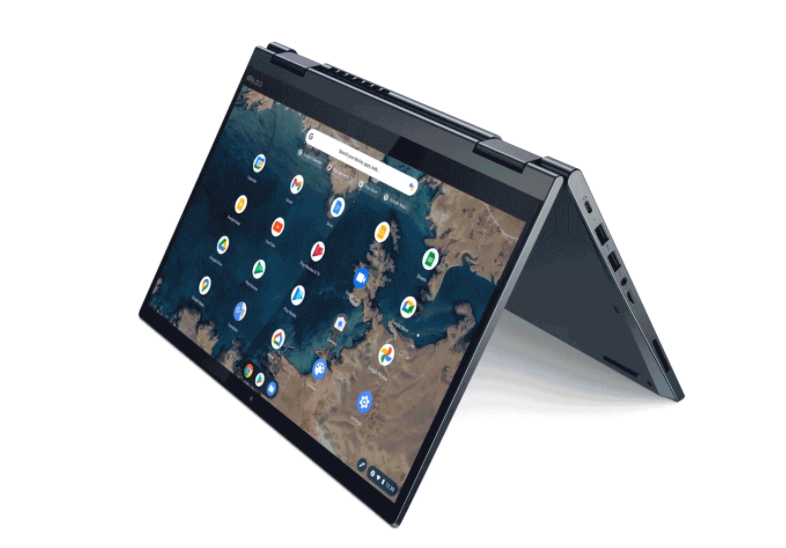
Chrome OS is officially hitting update 100 this week and to celebrate this Google has made a few announcements to improve Chromebooks including a new Launcher, the ability to create GIFs in the camera app, and dictation editing, among others.
With this update, Chromebook's Launcher is getting an updated design and enhanced search functionality to help you find more. Now, Launcher will open on the side of your screen instead of from the bottom and you can also organize apps by name or color, or manually arrange them in any order as per your choice.
As for searching, Launcher will now show you more information instead of just showing you a short preview of your search result. You can also quickly search for Chromebook shortcuts, like how to take a screenshot or turn on the caps lock. And, when you have multiple tabs open, a quick search in the new Launcher will direct you to the right open tab.
The new dictation feature now lets you use your voice to edit dictated text on Chromebooks. Simply say “delete” to delete the last letter, or “move to next character” to adjust where your cursor is on the screen. To try out the new feature, enable “Dictation” in Settings and press the Everything Button + D.
Next up, you can now make your own GIF in the Chromebook Camera app. Open the Camera app > Video > flip the toggle to “GIF.” Record a five-second video and it will automatically convert to an animated GIF. You can also share the GIF via email and other apps on your Chromebook, or send it to your Android phone using Nearby Share.
Other upcoming updates include:
- School accounts for Family Link - lets parents and guardians add a Google for Education account for kids to access Google Classroom and other school resources on supervised Chromebooks at home.
- Parent supervision to YouTube is now available for Family Link users on Chromebooks.
- A new YouTube app for Chrome OS with an offline playback feature.
- For IT administrators, Google has added a new report within the Admin Console for a quick look at which devices need attention.
- READ MORE ON:
- Chrome OS
- Chrome OS 100 update
- Chromebooks
- Chromebook features


 Google News