



OnePlus 9/9 Pro and OnePlus 9RT get OxygenOS 13 Open Beta 2
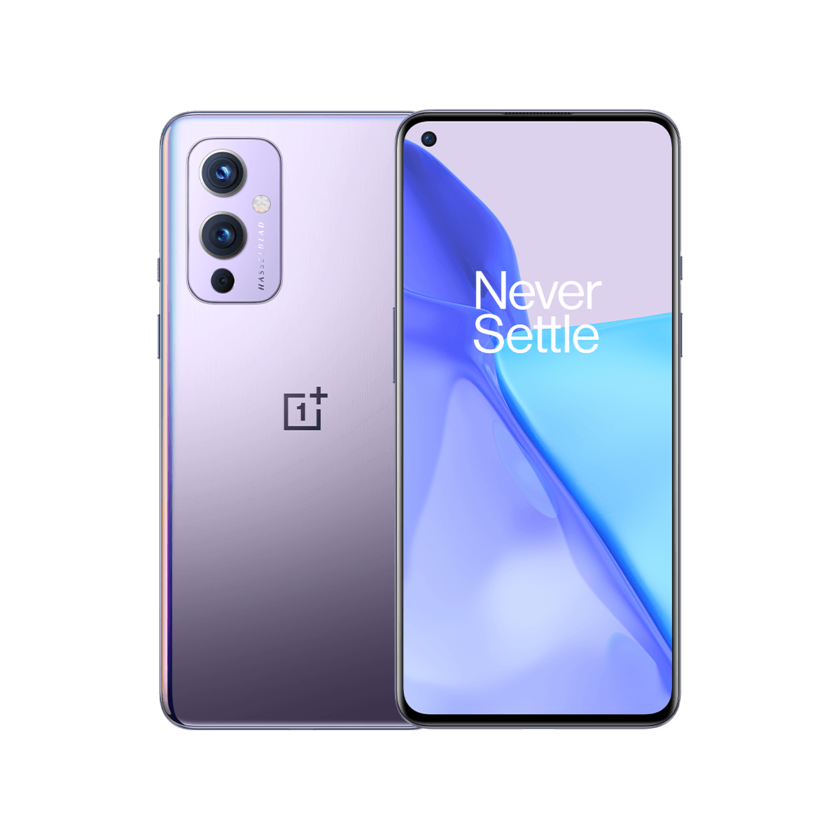
OnePlus has released the OxygenOS 13 Open Beta (OB) 2 for the OnePlus 9/9 Pro and the OnePlus 9RT. The current Open Beta 1 users will receive this build gradually, the company said in a post on the Community forums.
Before upgrading to this build make sure your device is in the latest OxygenOS 12 version:
OnePlus 9/9 Pro
- C.63/C.65 for IN&NA
- C.64/C.65 for EU
For OnePlus 9RT users, upgrading to this build requires your device to be in the latest OxygenOS 12 version (C.07).
Below is the complete update changelog (via):
Aquamorphic Design
- Adds Aquamorphic Design theme colors for enhanced visual comfort.
- Applies the Aquamorphic Design philosophy to animations to make them natural and vivid.
- Adds Shadow-Reflective Clock, with shadow simulating the orientation of the sun and moon.
- Upgrades to Quantum Animation Engine 4.0, with a new behavior recognition feature, which recognizes complex gestures and provides optimized interactions.
- Optimizes UI layers for a clearer and neater visual experience.
- Applies real-world physical motions to animations to make them look more natural and intuitive.
- Adapts responsive layouts to accommodate different screen sizes to improve readability.
- Optimizes the widget design to make information easier and quicker to find.
- Optimizes fonts for better readability.
- Optimizes system icons by using the latest color scheme to make the icons easier to recognize.
- Enriches and optimizes illustrations for features by incorporating multicultural and inclusive elements.
Efficiency
- Adds Meeting Assistant to enhance the meeting connecting and note-taking experience, and introduces an option to make notifications more subtle and less distracting.
- Adds large folders to the Home screen. You can now open an app in an enlarged folder with just one tap and turn pages in the folder with a swipe.
- Adds media playback control, and optimizes the Quick Settings experience.
- Adds more markup tools for screenshot editing.
- Upgrades Doodle in Notes. You can now draw on graphics to take notes more efficiently.
- Optimizes Shelf. Swiping down on the Home screen will bring up Shelf by default. You can search content online and on your device.
Seamless interconnection
- Optimizes earphone connectivity to deliver a more seamless experience.
Personalization
- Optimizes Bitmoji to offer more Always-On Display animations.
- Adds Omoji to let you fully express yourself with customized avatars.
- Optimizes Insight Always-On Display, with more personalized Always-On Display settings available.
- Optimizes Canvas Always-On Display, with more drawing tools and line colors available.
Security & privacy
- Adds an automatic pixelation feature for chat screenshots. The system can identify and automatically pixelate profile pictures and display names in a chat screenshot to protect your privacy.
- Adds regular clearing of clipboard data for privacy protection.
- Optimizes Private Safe. The Advanced Encryption Standard (AES) is used to encrypt all files for enhanced security of private files.
Health & Digital wellbeing
Adds Kid Space, providing screen time limit, ambient light reminders, and Eye-protecting display features.
Gaming experience
Upgrades to HyperBoost GPA 4.0 to stabilize the frame rate and balance the performance and power consumption in key scenarios.
Optimizes the pre-launch capabilities of Quick startup to load games faster.
System
Improves system stability for some scenarios.
Fixes an issue that the multitasking interface does not appear in Gaussian blur.
Fixes an issue that the overlapping display of notification bar icons under the horizontal screen.
Fixes an occasional flicker issue that occurs when returning to the desktop from an app.
Fixes an occasional issue that cannot connect automatically.
Update the Android security patch to September 2022 to enhance system security.
Camera
Fixes an issue that the camera function icon cannot be dragged.


 Google News