

Visitor sharing now available to Google Workspace Business Starter and Frontline customers
When visitor sharing is turned on, you can share items with non-Google accounts in the same way as you share with Google users using a secure pin code. Visitors can view, comment on, suggest edits to, and directly edit files and folders in Google Drive, Docs, Sheets, Slides, and Sites and delete their visitor session.
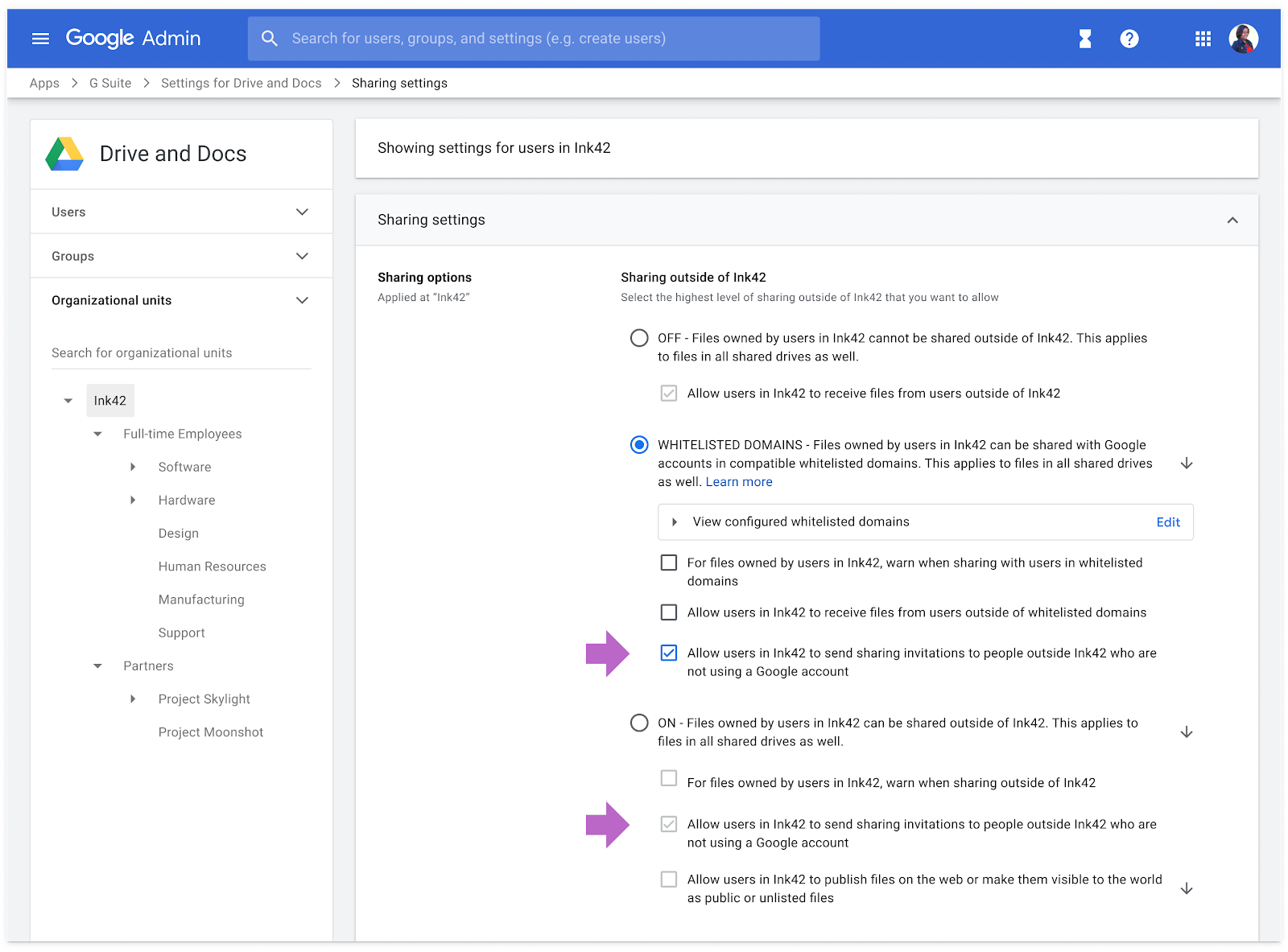
Google Workspace Business Starter and Frontline customers can now collaborate with non-Google users on the shared file or folder via visitor sharing, with a limit of five visitor shares per month, per user.
When visitor sharing is turned on, you can share items with non-Google accounts in the same way as you share with Google users, using a secure pin code. Visitors can view, comment on, suggest edits to, and directly edit files and folders in Google Drive, Docs, Sheets, Slides, and Sites and also delete their visitor session.
Visitor sharing is available to Google Workspace Essentials, Business Starter, Business Standard, Business Plus, Enterprise Essentials, Enterprise Standard, Enterprise Plus, Education Fundamentals, Education Plus, Frontline, and Nonprofits, as well as G Suite Business customers and not to G Suite Basic, Cloud Identity customers, or users with personal accounts.
Admins can control visitor sharing under new settings at Admin console > Apps > G Suite > Drive and Docs > Sharing Settings.
- Sharing outside of your organization to users with non-Google accounts will be ON by default if you currently allow users in your organization to send sharing invitations to people outside your organization who are not using a Google account.
- Sharing outside of your organization to users with non-Google accounts will be OFF by default if you currently do not allow sharing outside your organization.


 Google News